From any CAD system, through STEP
Export the part or assembly from SolidWorks, Inventor, Fusion, Creo, CATIA, Siemens NX, Solid Edge, Onshape, FreeCAD or any other CAD system as a STEP file (.step or .stp) of up to 30 MB. CAD2Drawing reads the exact solid, not a mesh, so every dimension on the drawing is measured from the model itself.
Views and sections chosen for the part
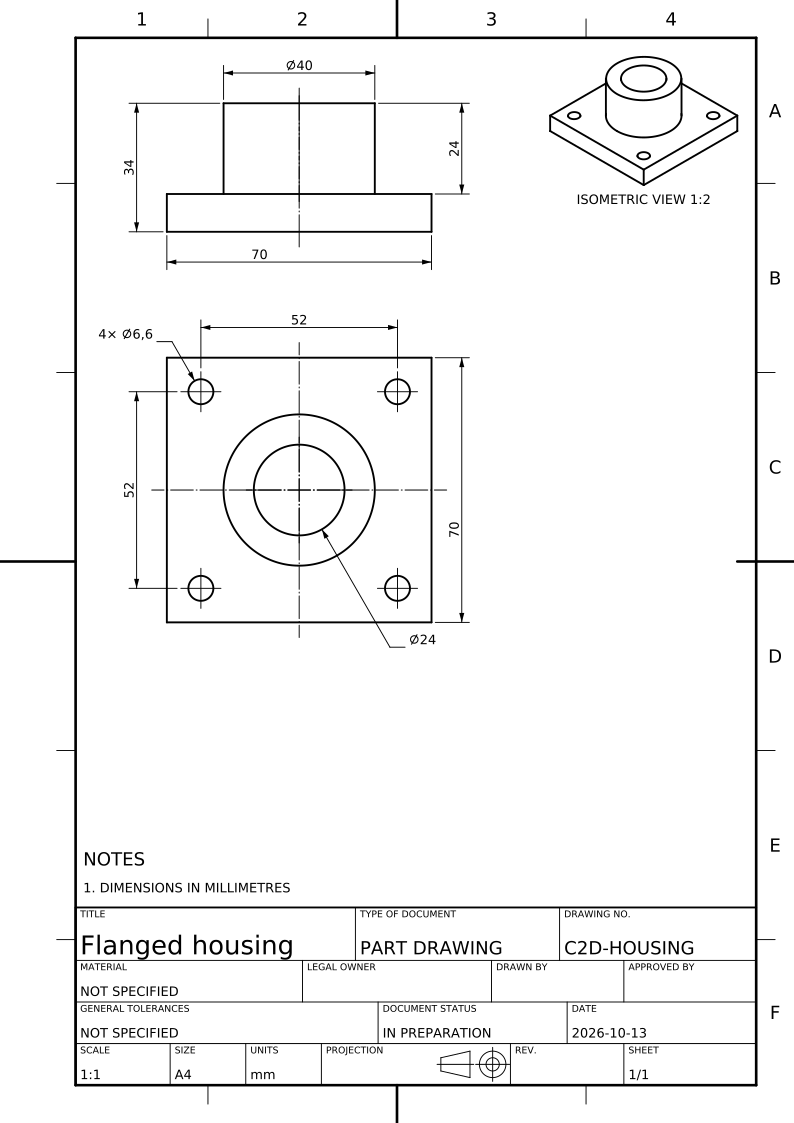
You say how the part is made: turned, milled, sheet metal, cast, moulded or welded. CAD2Drawing reads the part’s form and features from the model and chooses the front view and the fewest views and sections that show every feature, in first- or third-angle projection. Every section is named and its cutting plane drawn.
Dimensioned automatically
Each feature of size gets its own dimension and each position is fixed once, from datums the part suggests: hole and thread callouts, chamfers, radii and overall sizes, placed so that they never cross, following ISO 129-1 or ASME Y14.5 conventions. Tolerances and datums authored in a STEP AP242 file are used first.
A standard sheet with its title block
The drawing is laid out on an ISO or ASME sheet at a standard scale, with a title block, the projection symbol, general notes and an isometric view. A manufacturing drawing, an assembly drawing with its parts list and an outline drawing for a bought product are each made the way their purpose asks.
PDF, DXF and SVG
Download the sheet as PDF to print and share, as DXF to edit in AutoCAD, DraftSight or any CAD editor, or as SVG for vector editing. A PNG of the sheet and the 3D model as GLB come with it.
What you still decide
A generated drawing is a draft. The model does not state your material, tolerances or surface requirements: add them, check the dimensions against the solid (select one to see the faces it measures) and have the drawing approved before it goes to manufacture. Any dimension the sheet could not carry is listed, never hidden.
Questions
- How do I convert a 3D CAD model into a 2D drawing?
- Export the model from your CAD system as a STEP file, upload it to CAD2Drawing, choose what the drawing is for and how the part is made, then download the generated drawing as PDF, DXF or SVG. Reading the model is free; a drawing is 100 credits.
- Which CAD systems does CAD2Drawing work with?
- CAD2Drawing works with any CAD system that exports STEP (.step or .stp), among them SolidWorks, Inventor, Fusion, Creo, CATIA, Siemens NX, Solid Edge, Onshape and FreeCAD.
- Does CAD2Drawing make assembly drawings?
- Yes. CAD2Drawing makes a model of several items you make into an assembly drawing with balloons and a parts list, followed by a drawing for each distinct part made. A standard bought part is named by its designation instead of getting its own sheet.