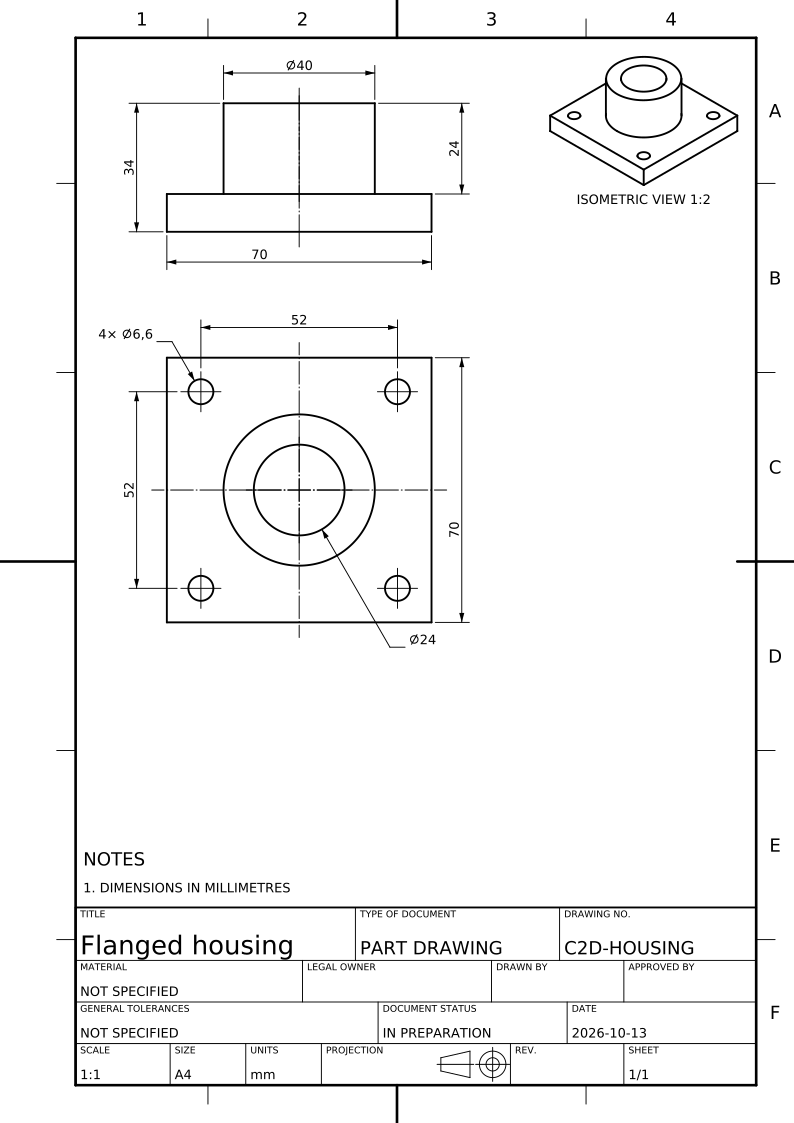
Measured from the solid, never scaled
Every value comes from the exact geometry in the STEP file: diameters, lengths, angles, radii, depths and positions. Nothing is read off a mesh or a picture, so the drawing and the model agree to the last decimal printed.
Every feature fixed once
CAD2Drawing finds the part’s features (holes, counterbores, countersinks, stepped bores, slots, pockets, chamfers, flats and threads) and what each leaves free: its size, its position, its depth. It chooses the dimensions that fix all of them once, using the part’s symmetry and equal spacing where it has them, so that nothing is left open and nothing is said twice.
Callouts a machinist reads
A hole is called out as a draughtsman writes it, read from the end it is machined from: its count, diameter, depth, counterbore or countersink and thread in one callout. A pattern is stated once with its count, and a thread by its designation.
Placed on the sheet to ISO 129-1
Dimensions stand outside the views where there is room, read from the bottom or the right, never cross one another and stay with the view that shows their feature best. Sheet metal is dimensioned to the outside, and a drafted round on a casting at its root.
Tolerances and datums from your STEP file
A STEP AP242 file with semantic PMI keeps its authored dimensions, tolerances and datums: CAD2Drawing uses them first and only completes what they leave open. Without PMI, add your tolerances and datums to the drawing, because the shape alone does not state them.
Nothing hidden
A dimension the layout could not place is listed beside the drawing with its reason, and every dimension on the sheet can be selected to see the faces it measures in the 3D model. Check the list and the dimensions before the drawing is approved.
Questions
- Can a drawing be dimensioned automatically from a STEP file?
- Yes. CAD2Drawing reads the STEP model, recognises its features and places dimensions and hole and thread callouts on the views automatically, following ISO 129-1 or ASME Y14.5 conventions. You check them against the 3D model and add tolerances before approval.
- Does CAD2Drawing use the PMI in my STEP file?
- Yes. Semantic PMI in a STEP AP242 file (dimensions, tolerances and datums) is read and used first; CAD2Drawing completes only what the PMI leaves open.
- What happens to a dimension that cannot be placed?
- CAD2Drawing lists it beside the drawing with its reason, such as no room on the sheet or a feature too small at the scale, so a missing dimension is never silent.